Equipment
Start with the machine
Add its name, make, model and serial number. Choose how to track service: hours, miles or calendar.
Have a myTurf Asset List export? The Import Center can bring in that supported equipment format.
Example workspace · Shop plan
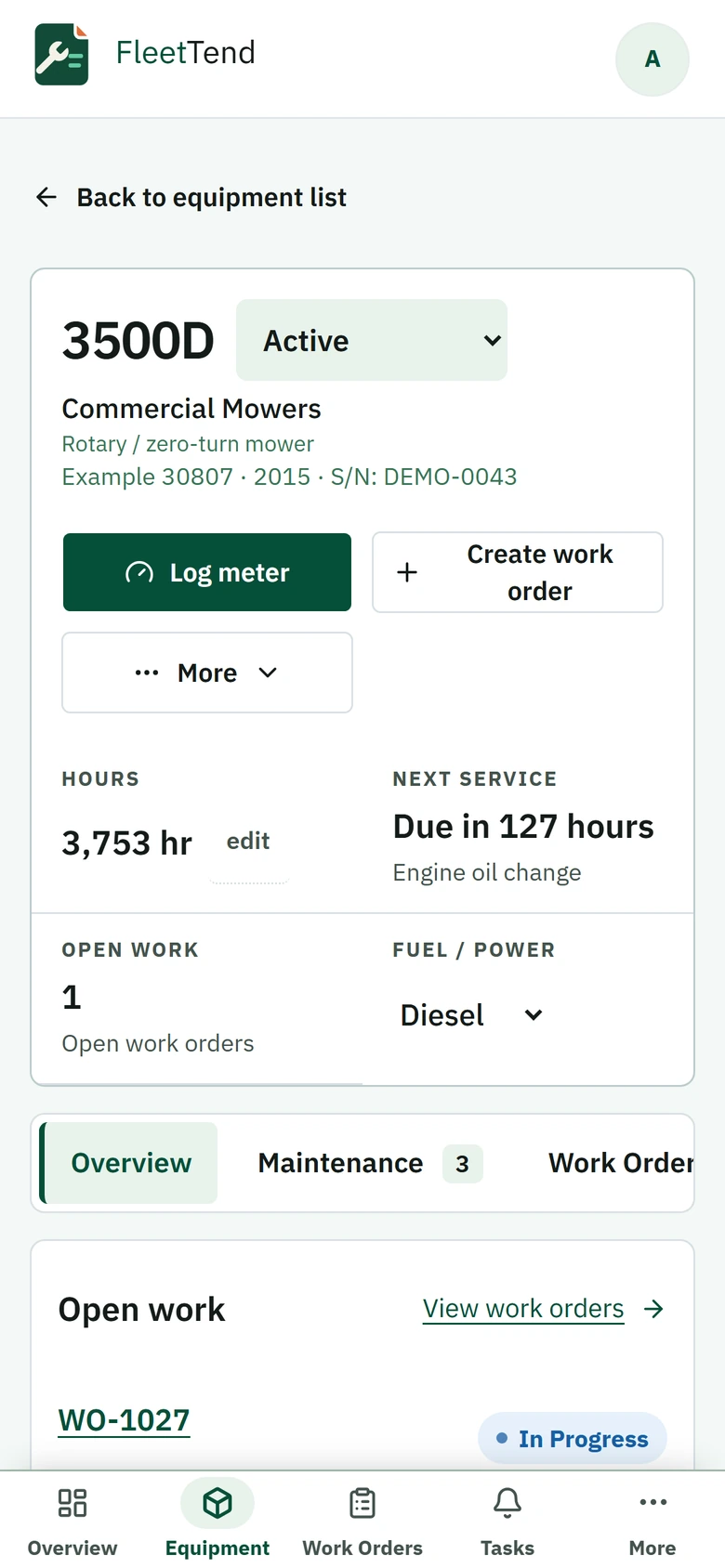
The 3500D record shows 3,753 hours, with its next engine oil service due in 127 hours. The record keeps maintenance and repair work tied to this machine.
The machine, people and records in this example are fictional.
View the larger desktop exampleView the larger phone example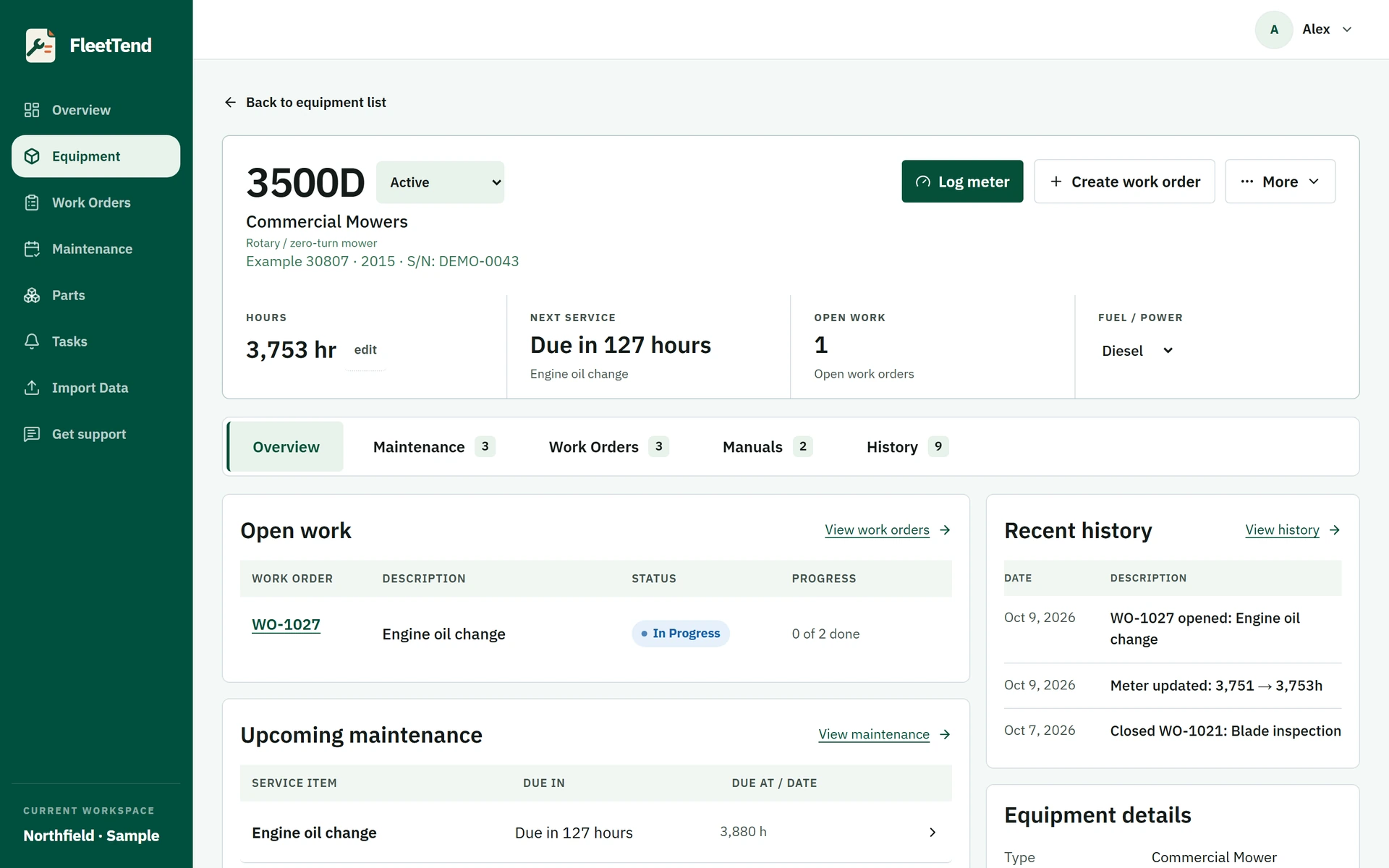
Maintenance
Set a maintenance schedule
Use the service interval in the manufacturer's manual, including any guidance for operating conditions. Set hour-, mile- or calendar-based schedules to match the work.
Free supports up to 10 active maintenance schedules across the workspace. Adding another active schedule requires Shop; nothing is deleted by a plan change.
Meter readings
Keep readings current
Save an hour or mile reading to see how much service is left. Calendar schedules follow their dates.
A printed QR label opens the machine's record for a signed-in teammate using a phone's browser.
Work orders
Record the work
Open a work order for the machine and add its tasks, notes and labor. Attach a photo to the work order when useful. Shop also tracks the parts a job uses against inventory.
Completing a linked maintenance task
Use Complete PM task and record the date and actual completion meter where required. This records completion for that linked schedule.
Close the work order separately after its tasks have been completed or explicitly skipped. Closing an unrelated work order does not reset all of a machine's maintenance intervals.
Example workspace · Shop plan
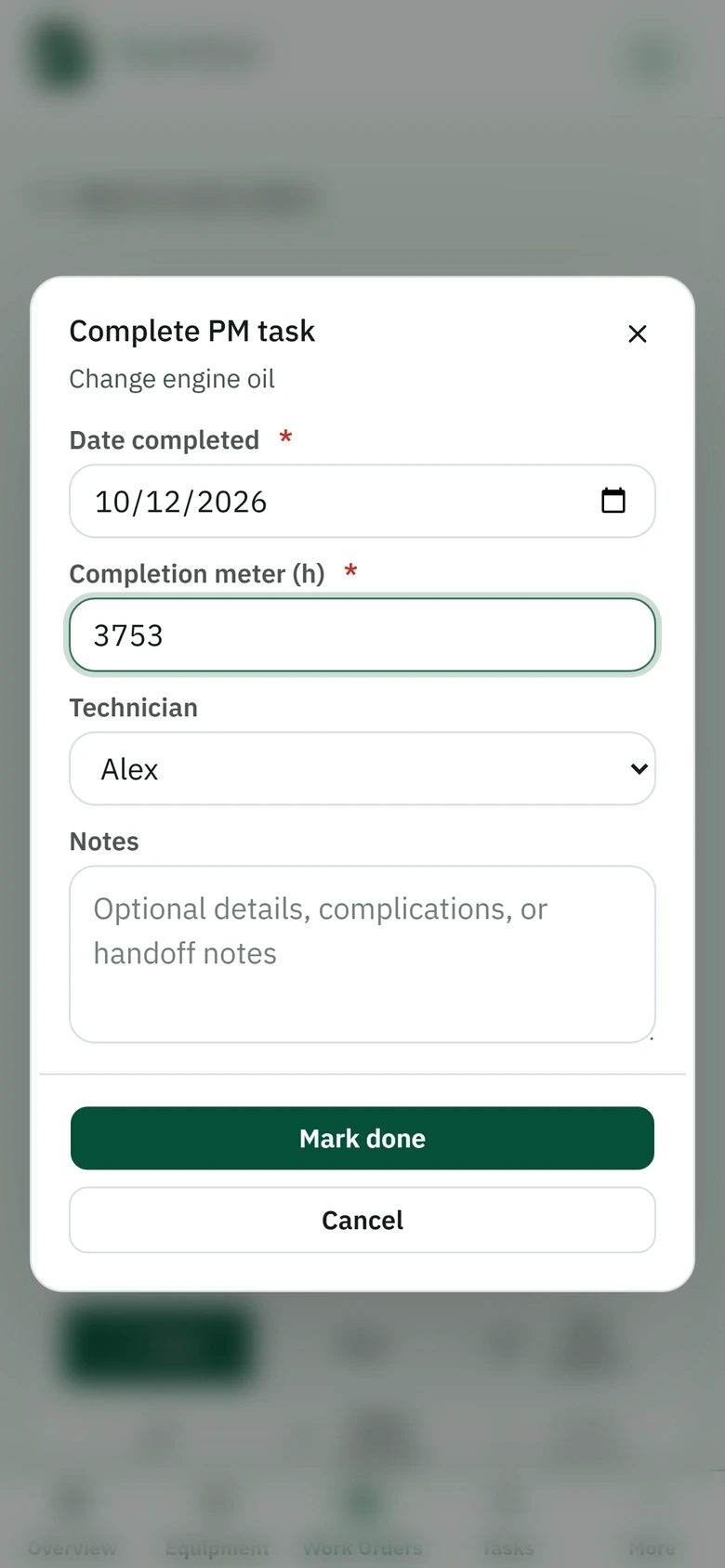
The linked engine oil task asks for the date, actual meter reading and technician. This example shows the form before submission.
The machine, people and records in this example are fictional.
View the larger desktop exampleView the larger phone example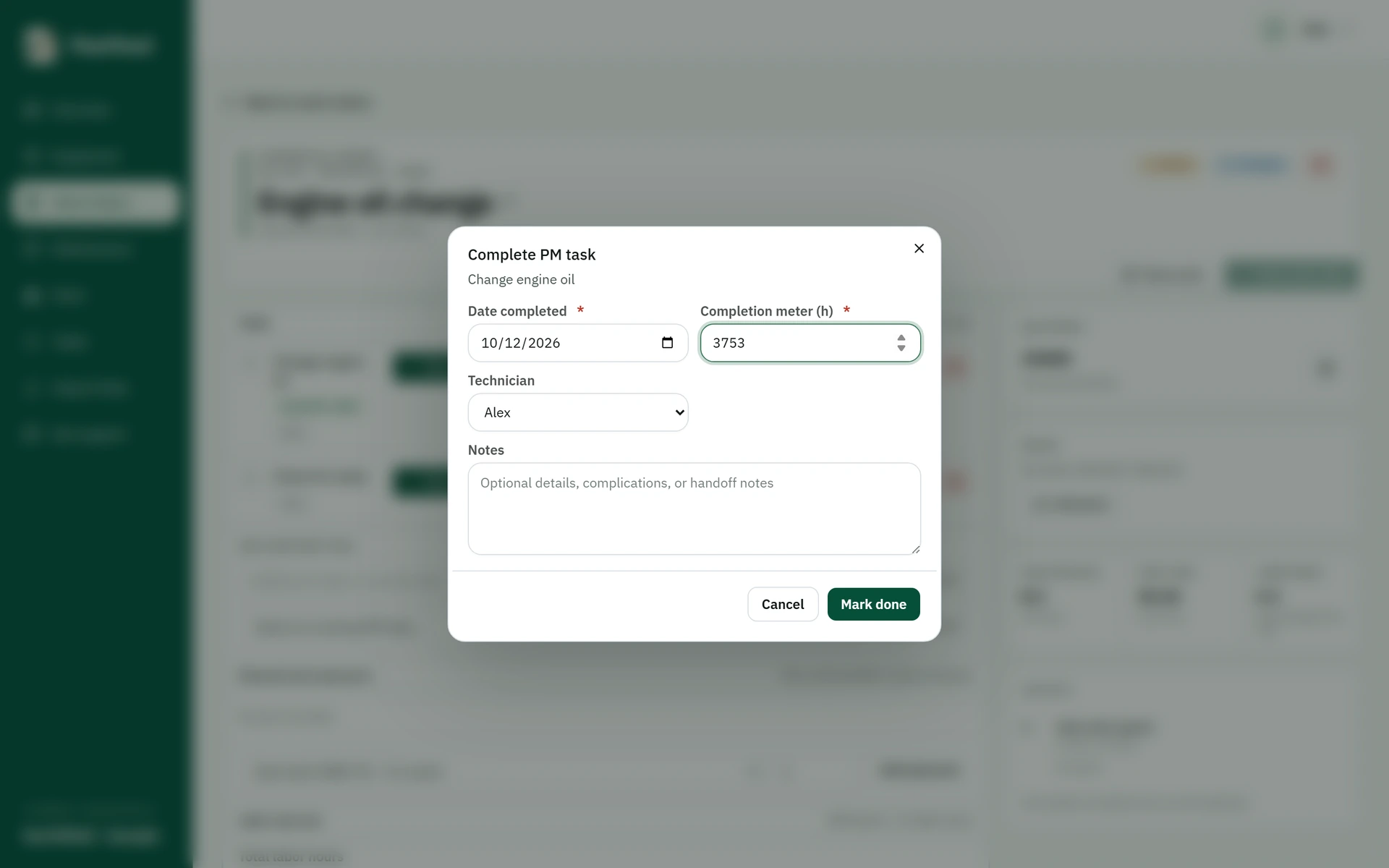
Service history
Find the history next time
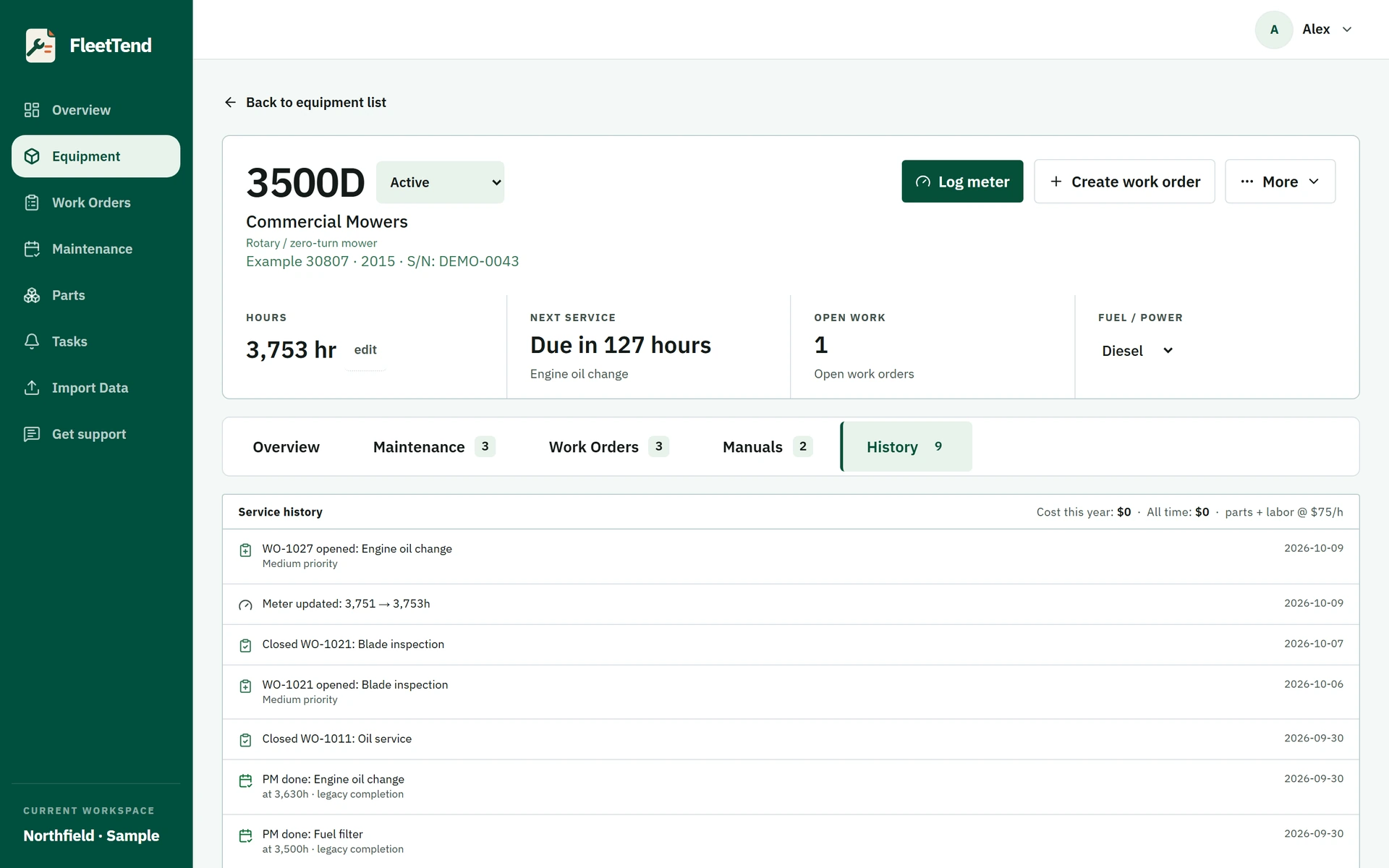
The machine's record brings together meter changes and completed work.
On Free, closed work orders older than 90 days become read-only; they stay visible and exportable. Shop keeps older work-order history editable.
Workspace owners can download a ZIP of CSVs from Settings → Your data. Photo and manual files are not included in that ZIP.
Example workspace · Shop plan
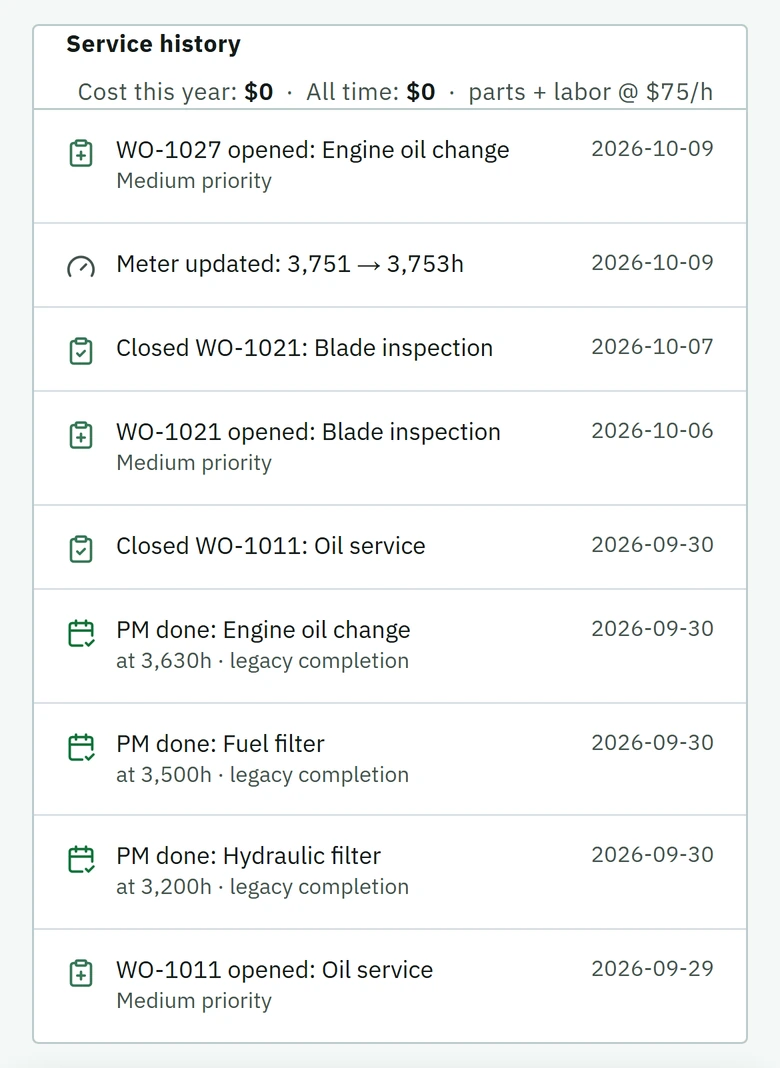
These are existing records for the same fictional 3500D, not the result of the unsubmitted completion form above. On Free, closed work orders older than 90 days stay visible and exportable but become read-only; Shop keeps older work-order history editable.
The machine, people and records in this example are fictional.
View the larger desktop exampleView the larger phone example